Vendor lock-in
Knowledge trapped in proprietary clouds. Export is painful; when a service shuts down, your archive goes with it.
Early access · macOS native
Docugit is a native workspace for Markdown notes on macOS and iOS—files live in your Git repo, AI stays under your rules, and teams collaborate asynchronously without another proprietary cloud.
The problem
Most tools force a trade-off between convenience, intelligence, and control. Docugit is built on the stack developers already trust.
Knowledge trapped in proprietary clouds. Export is painful; when a service shuts down, your archive goes with it.
Smart search and summaries often mean shipping private notes to someone else’s servers—with no audit trail.
Live cursors fight for attention. Change history is shallow—or missing entirely—when you need to know who changed what.
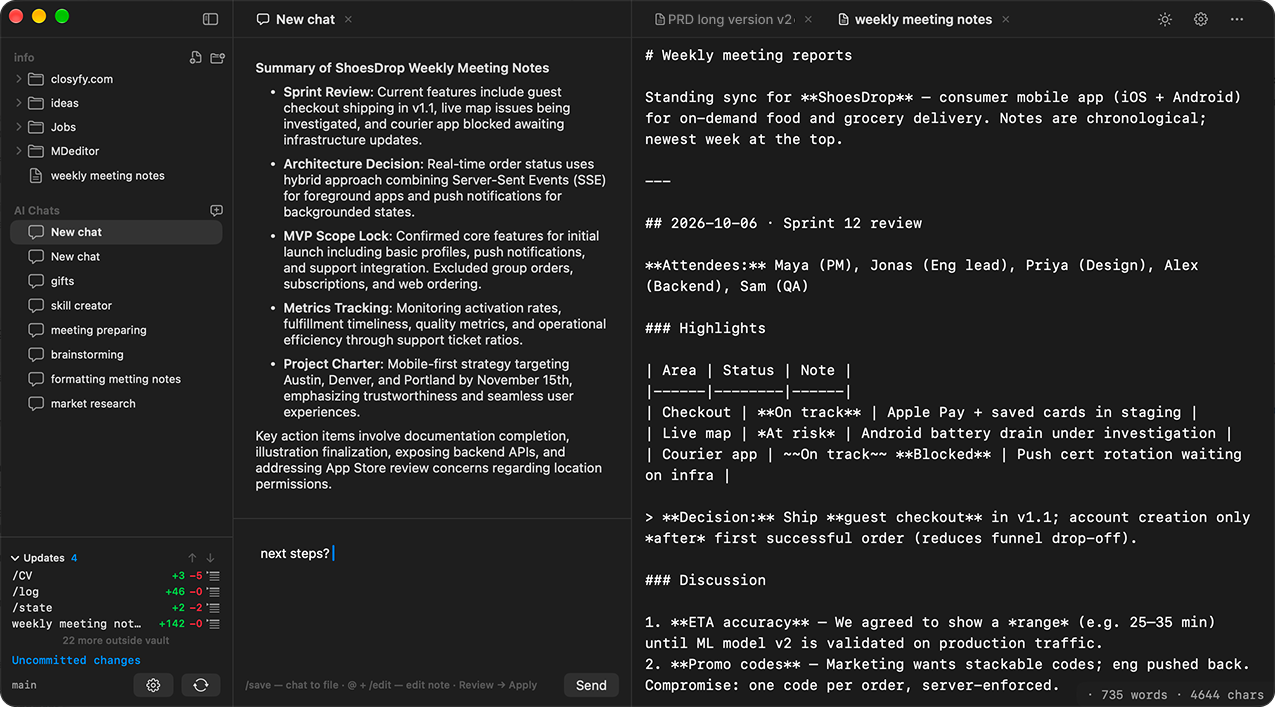
Docugit uses Git for truth, Markdown for longevity, and optional AI you can run locally, BYOK, or asynchronously via your repo—always reviewable in commit history.
Capabilities
01
Every save can be a commit. Every folder is a repo you already own—GitHub, GitLab, Forgejo, or your own server.

02
We don’t funnel your notes through our models. You choose how intelligence shows up—and every automated change can live in Git.
Ask questions across your vault in the chat pane—next to the editor, not in a separate browser tab.
Let automation run in the background. Review diffs like any other contribution—accept, revert, or branch.
03
Contributors work on branches and merge when ready—no live cursors, no surprise overwrites.
notes/rfc-async-review.md
Ship guest checkout in Sprint 12.
Defer guest checkout to Sprint 13.
Product tour
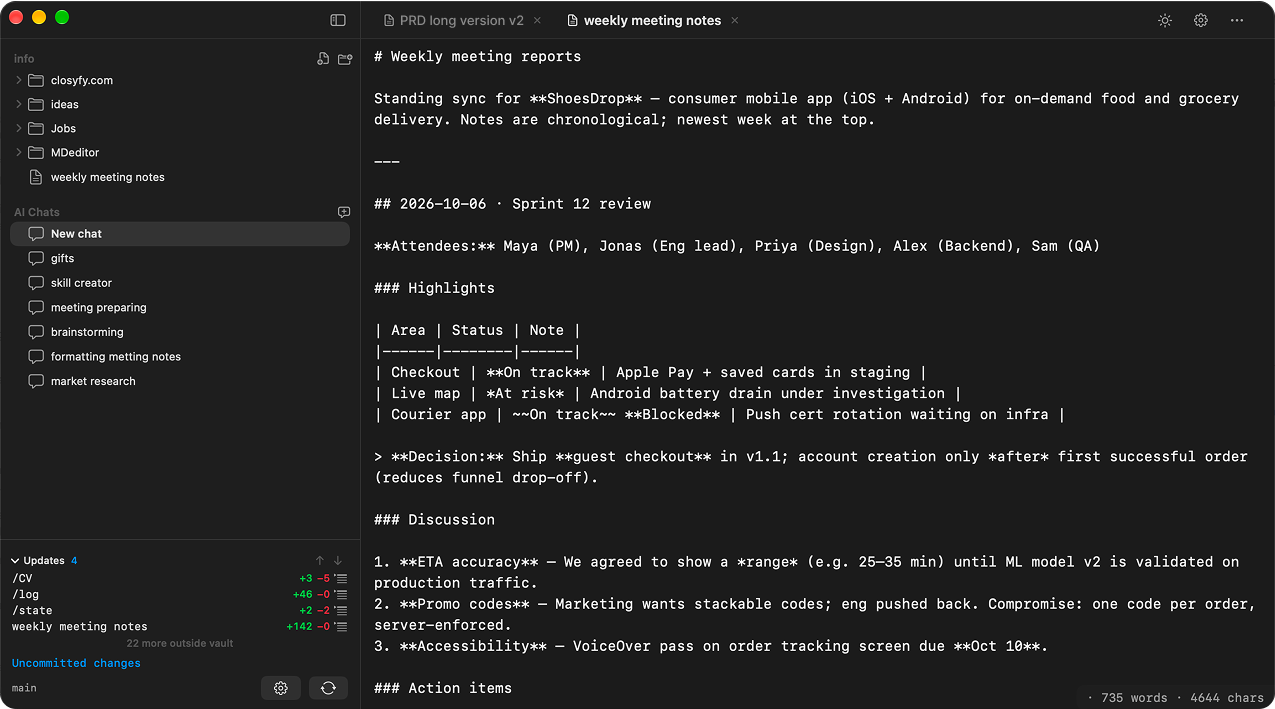
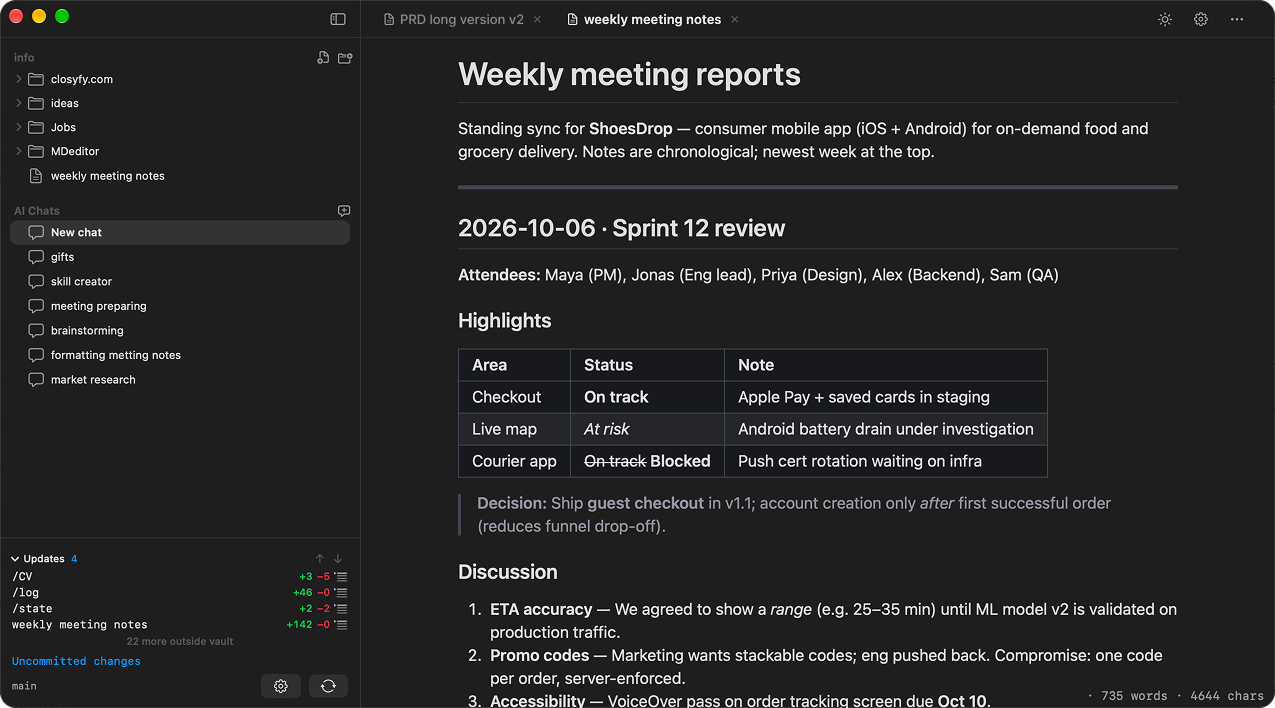
Flip between raw Markdown and rendered preview—the same note, two views, one tab bar.
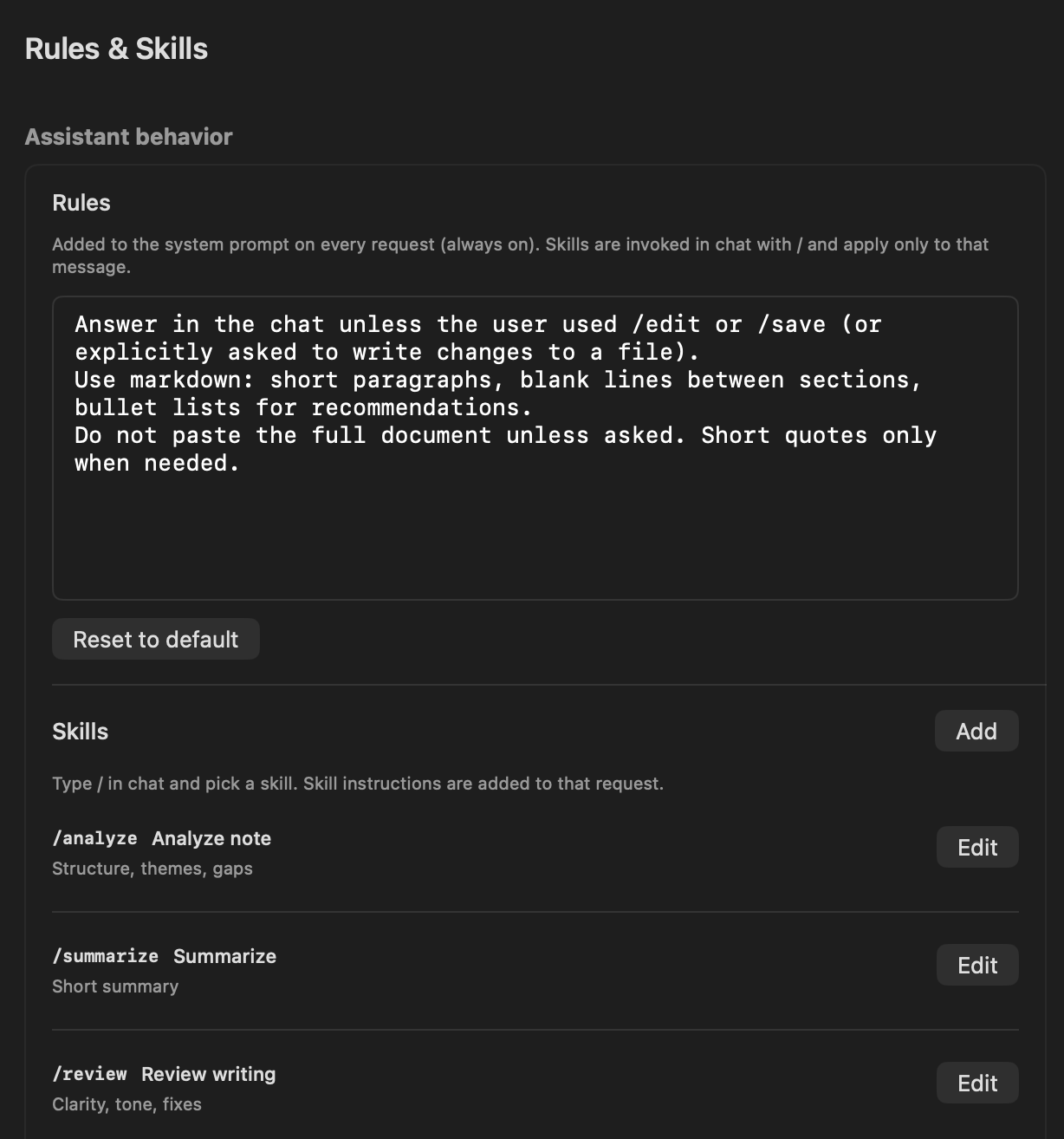
System rules always on. Invoke /analyze, /summarize, or your own slash commands per message.
Same three-pane layout in a theme that matches your Mac—toggle without losing focus.
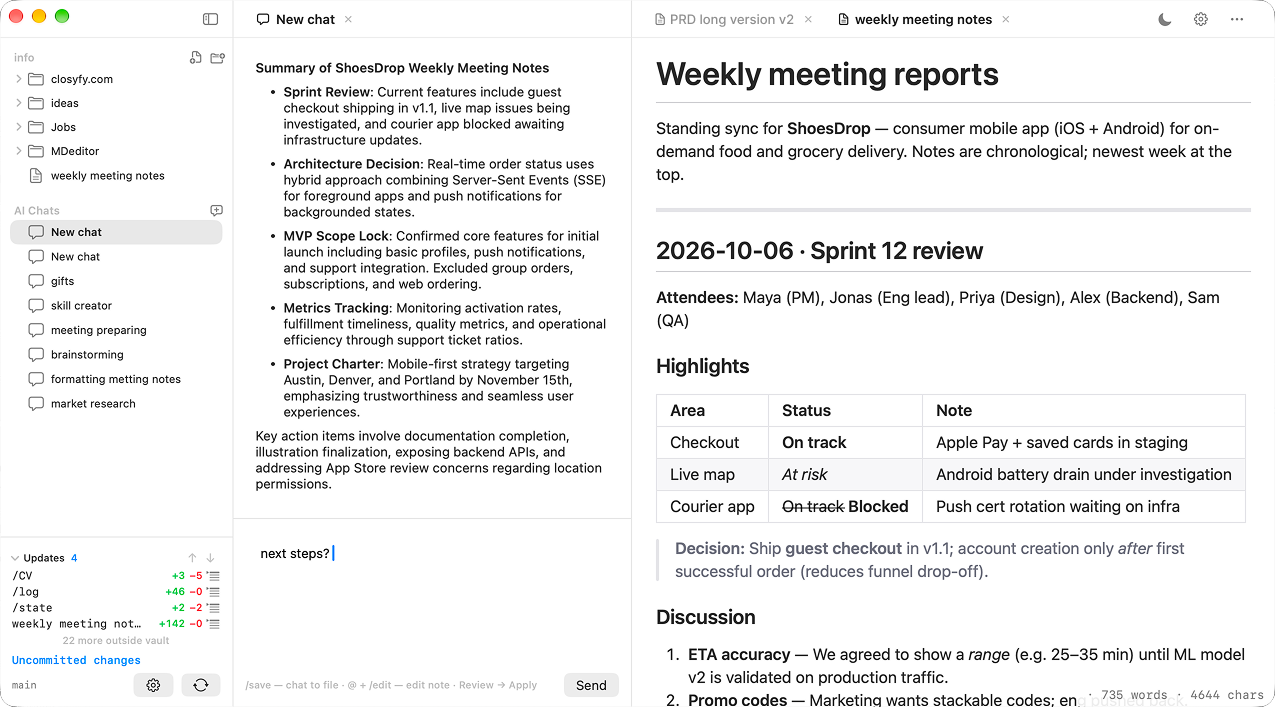
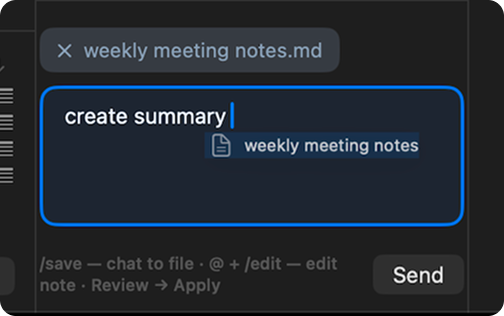
Drop a note into chat to attach context—then ask for a summary, edit, or review in one send.
Trust
Files sit where you point the app. We don’t host your vault.
Plain .md only. Leave anytime; your knowledge stays readable.
No telemetry theater. The product is the app—not your data exhaust.
Who it’s for
Getting started
Sign in with GitHub or GitLab—or paste a remote URL and token. Guided setup, no PhD in Git required.
A native editor with preview, wikilinks, and tabs. Feels like macOS should have shipped years ago.
Drop in an API key for chat, run models on-device, or wire a small workflow in your repo for background help.
FAQ
Join early users building a knowledge base that outlives any single app or vendor.